|
Hello,
Our 🎉 11th birthday 🎉 is this week, and we're thrilled to be celebrating
this milestone with our incredible community. We're grateful for the journey we've shared with you.
Our success is a testament to your continuous support and engagement, so thank you.
In this newsletter, we'll introduce Console Ninja v2 with its completely redesigned Log Viewer,
share some exciting new features we've added to Wallaby, and give you a peek at what's coming
next, including Wallaby for Python!
🎁 11th Birthday Sale: 40% Off
To celebrate our birthday, we're offering a 40% discount on all of our products
for a limited time. This offer is valid for both new and existing customers and expires on
January 28th @ 00:00 UTC. Use the links below to take advantage of this offer:
If you already have a personal license, you can renew early (via your Wallaby Account) and receive
the same discount (or better, depending on your license type).
Console Ninja v2 🥷
We are excited to announce Console Ninja v2,
a major evolution of our logging and runtime inspection experience. This release introduces a
completely redesigned Log Viewer that rethinks how you explore logs while coding, especially
in fast-moving environments with hot reloads, frequent app restarts, and large volumes of output.
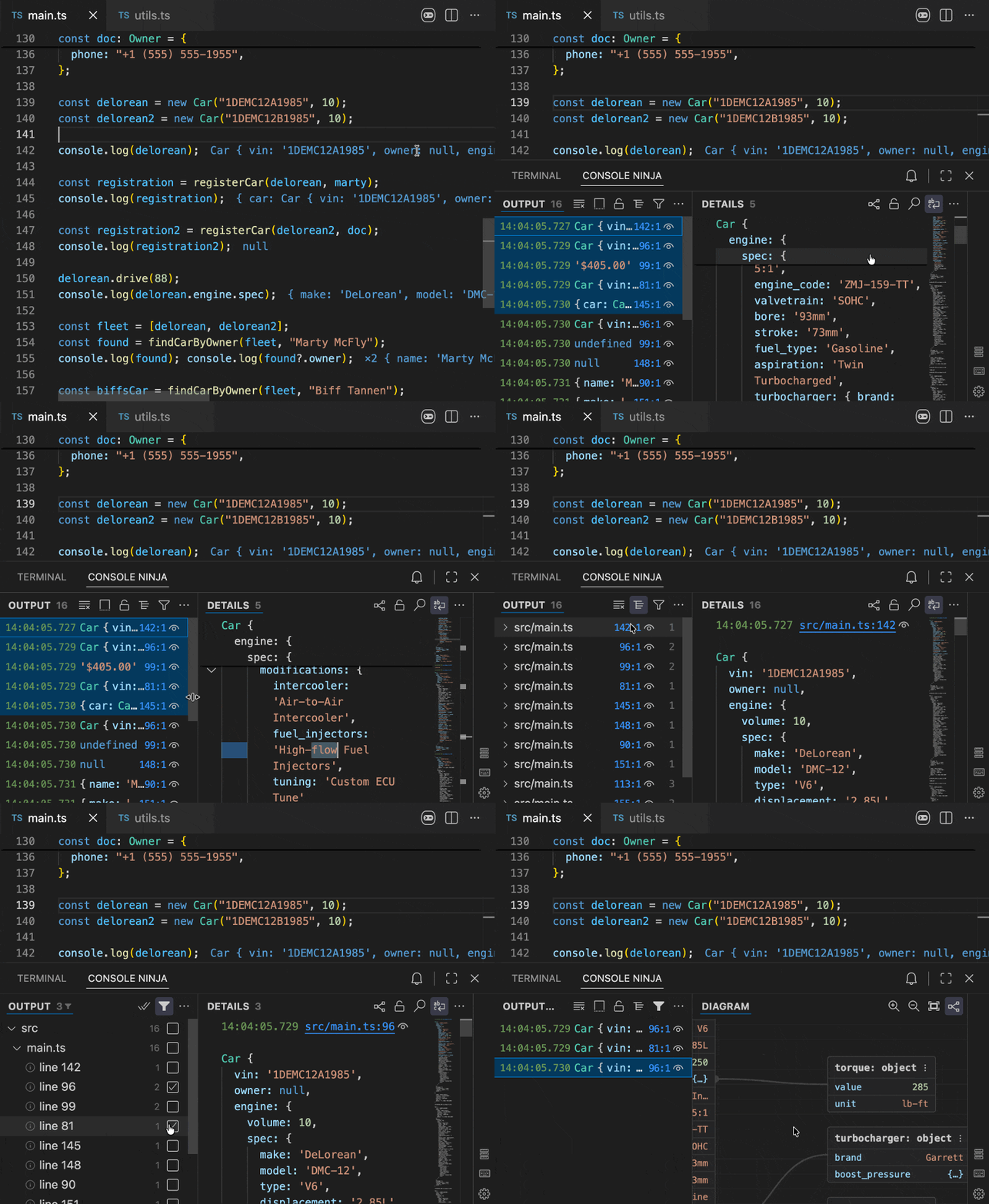
Key improvements include:
- New list-details layout: horizontal view enabled by default for better use of editor space. Select multiple items to compare logs side by side.
- Rich details panel: powered by a high-performance customized Monaco engine with semantic highlighting, navigable stack traces, and interactive runtime value graphs.
- Log map: a tree view of active logpoints and their output for quick navigation and structured exploration.
- Advanced filtering: quickly narrow down large log streams by including or excluding specific source locations.
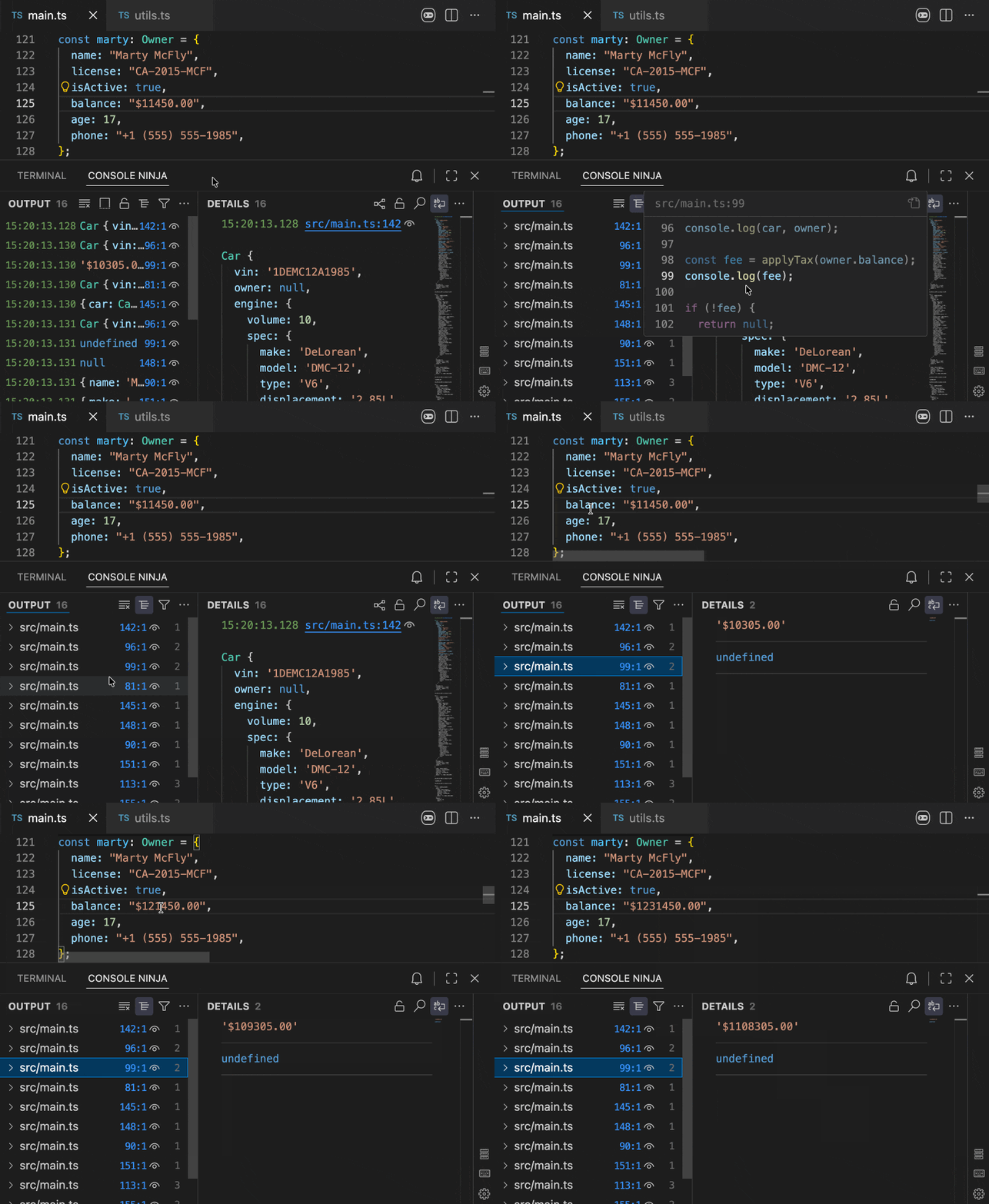
Read more about Console Ninja v2 →
Wallaby: Zen Mode 🧘♂️
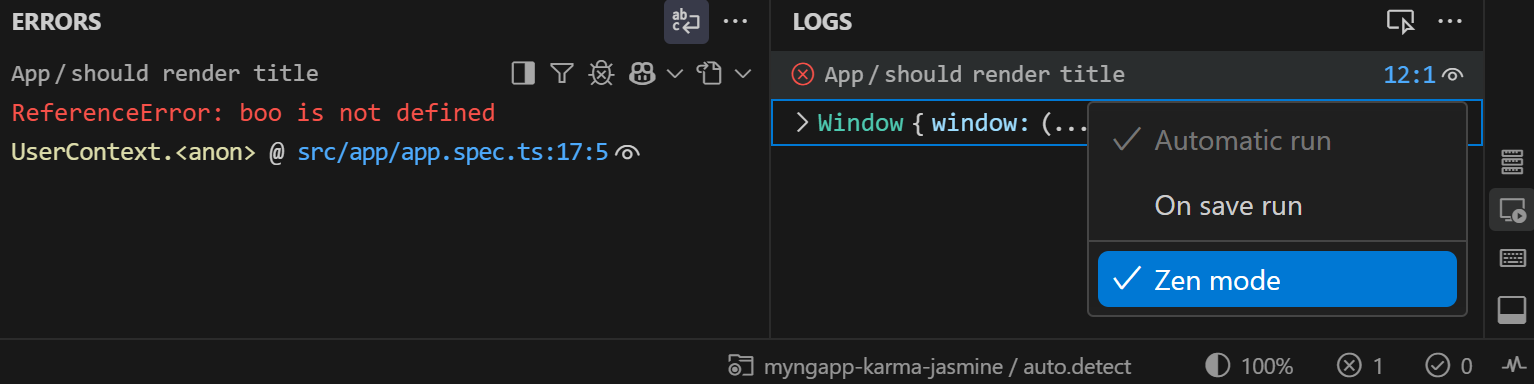
Wallaby's new Zen Mode gives you control over when you see test feedback in your editor.
When you're making lots of changes, instant visual feedback can be distracting. Zen Mode lets you
hide coverage indicators and inline errors while Wallaby continues running tests in the background.
Toggle it via the command palette (Wallaby.js: Toggle Zen Mode) or directly from the
Overview panel. Your Zen mode preference is stored per project and survives restarts.
Read more about Zen Mode →
Wallaby: Vitest Browser Mode 🌐
Wallaby now supports running Vitest v4.x+ in browser mode, using either the playwright or
webdriverio providers. Wallaby runs your browser instances in headless mode by default
(overridable by setting headless: false in your vitest config).
If you're using Vitest Browser mode, Wallaby will automatically detect and use it; no additional
configuration is needed.
Wallaby: AI Testing Skill 🤖
If you're using AI coding assistants, you can create a Wallaby Testing Skill to enhance
your AI's understanding of your testing workflow. A well-crafted skill file teaches the AI how
to use Wallaby's tools effectively, resulting in better outcomes (more accurate fixes), faster
results (the AI knows exactly which tools to use), and reduced token usage (less trial-and-error).
Learn how to set up a Wallaby Testing Skill →
Coming Soon: Wallaby for Python 🐍
We're excited to share that we're actively working on Wallaby for Python! Over the years,
we've had many requests to extend Wallaby to other programming languages. Recent enhancements
in Wallaby v2 and v3 have unlocked our ability to do just that, and Python is first. See the screenshot below
for a preview of Wallaby for Python in action.
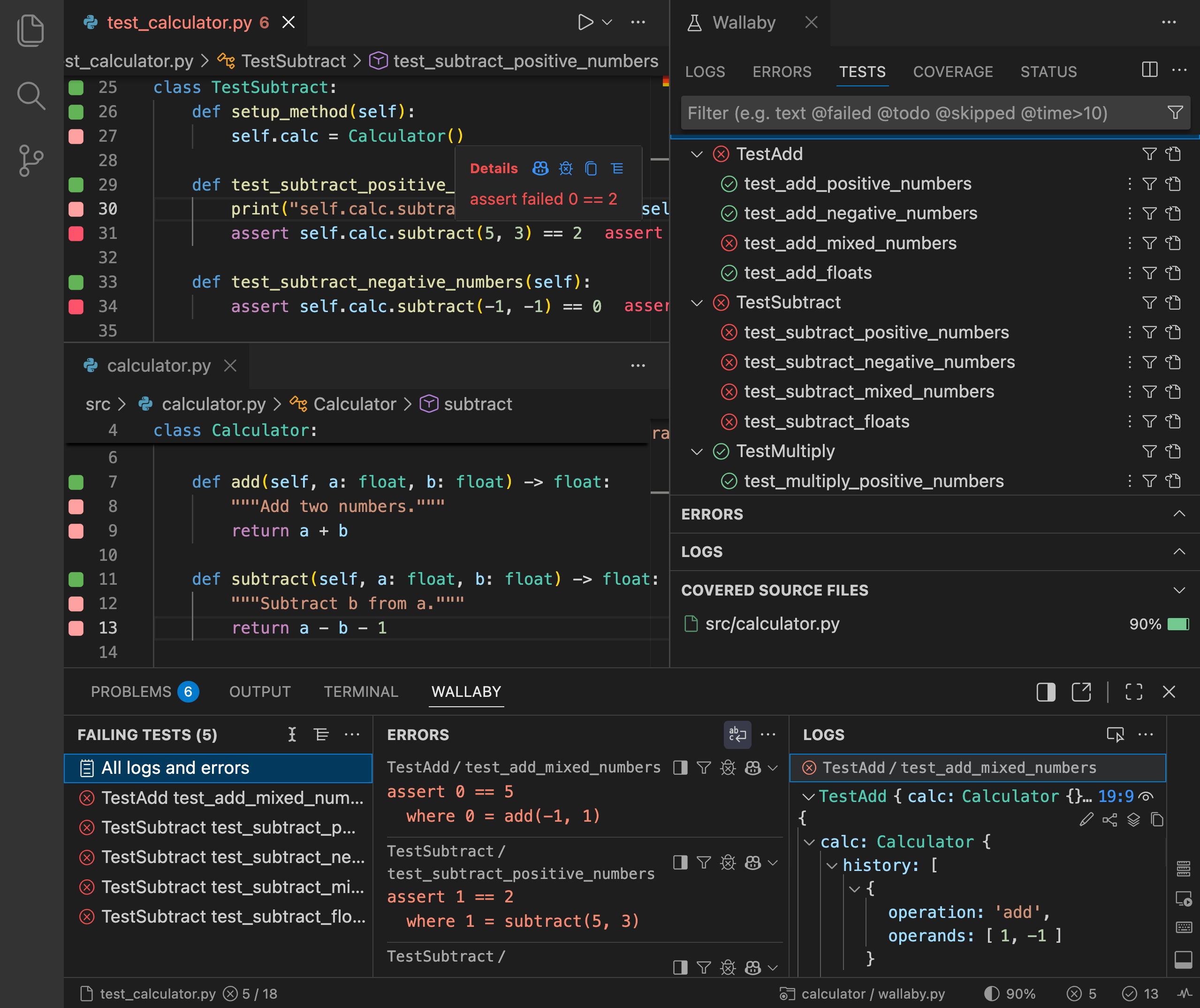
We're bringing the same instant test feedback, inline errors, and coverage visualization that
you love in JavaScript/TypeScript to the Python ecosystem. If Wallaby for Python is successful,
we plan to evaluate doing the same for other languages.
Register your interest and be notified when Wallaby for Python is released →
Quokka v3: Coming Soon
Quokka v3 is in its final stages of development and is expected
to be released in the coming weeks. Quokka v3 builds on the
Console Ninja v2 foundation and ships with a
completely redesigned panel UI.
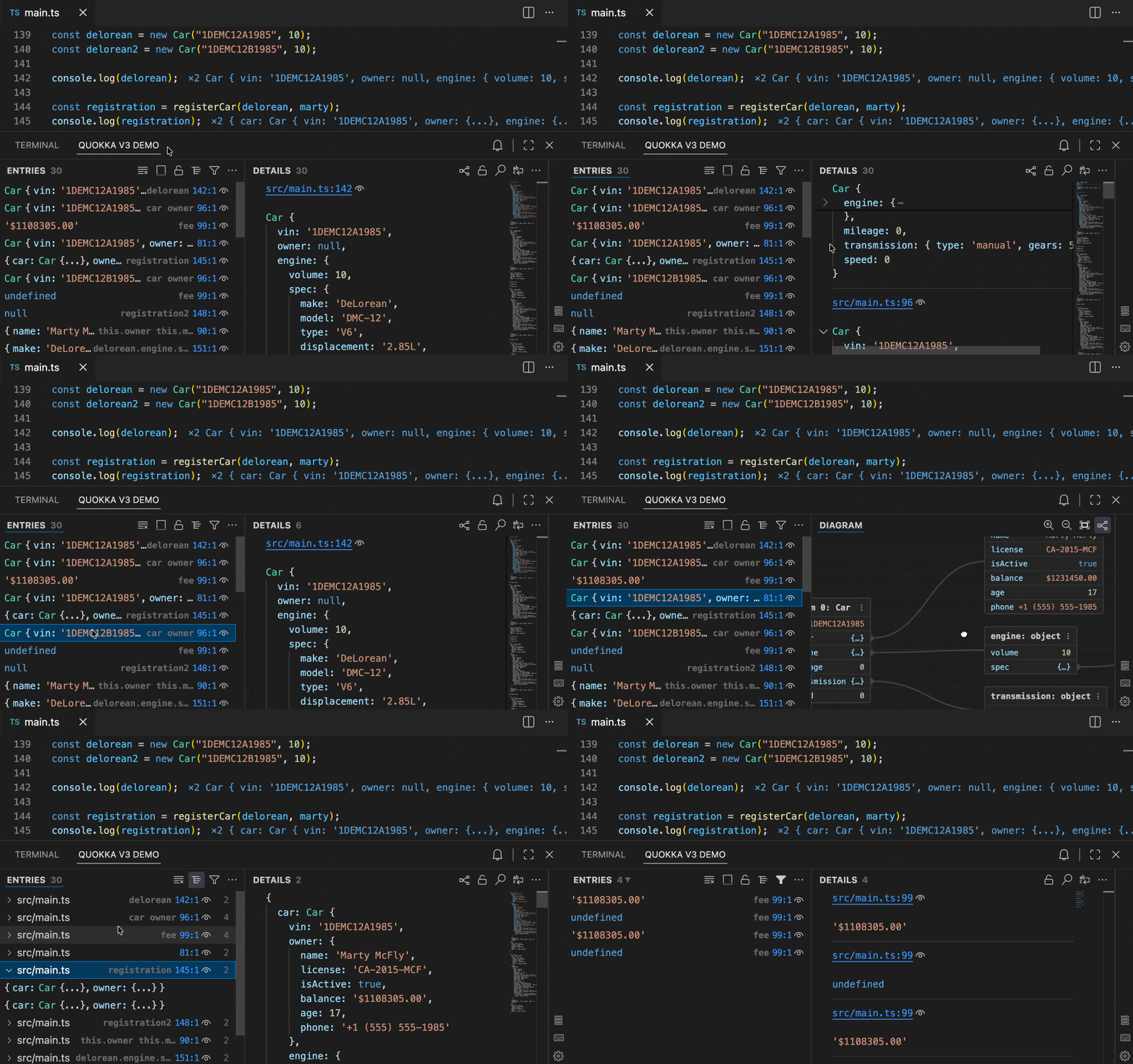
Key improvements include:
- New list-details layout: multiple items can be selected to view details and compare logs side by side. When no item is selected, the details panel shows all captured logs.
- Rich details panel: powered by a high-performance customized Monaco engine with semantic highlighting, inline code previews, interactive controls, and runtime value graphs as diagrams.
- Log map: a tree view of active logpoints and their output for quick navigation and real-time observation of how values change at specific code points.
- Advanced filtering: quickly narrow down large log streams by including or excluding specific source locations.
What's Next
2026 is shaping up to be an exciting year. In addition to Wallaby for Python, here's what we're
working on:
- Wallaby: Continued enhancements to Wallaby's capabilities and UI/UX, along with ongoing improvements for Vitest, Angular, Jest, Nx, and other testing frameworks.
- Quokka v3: A streamlined interface with simpler run modes, clearer results, and a completely redesigned output experience.
- Wallaby for autonomous agents: We're exploring how to extend Wallaby's capabilities for fully autonomous AI coding agents, enhancing AI-driven development workflows beyond what's possible with current MCP tools.
For more Wallaby updates, check out our What's New page.
Thanks for reading! If you have any feedback, please reply
to this email.
Regards, Simon McEnlly
|