Zen Mode: Control In-Editor Feedback 🧘♂️
We’re excited to introduce Zen Mode, a new Wallaby.js feature that gives you control over when you see test feedback in your editor.
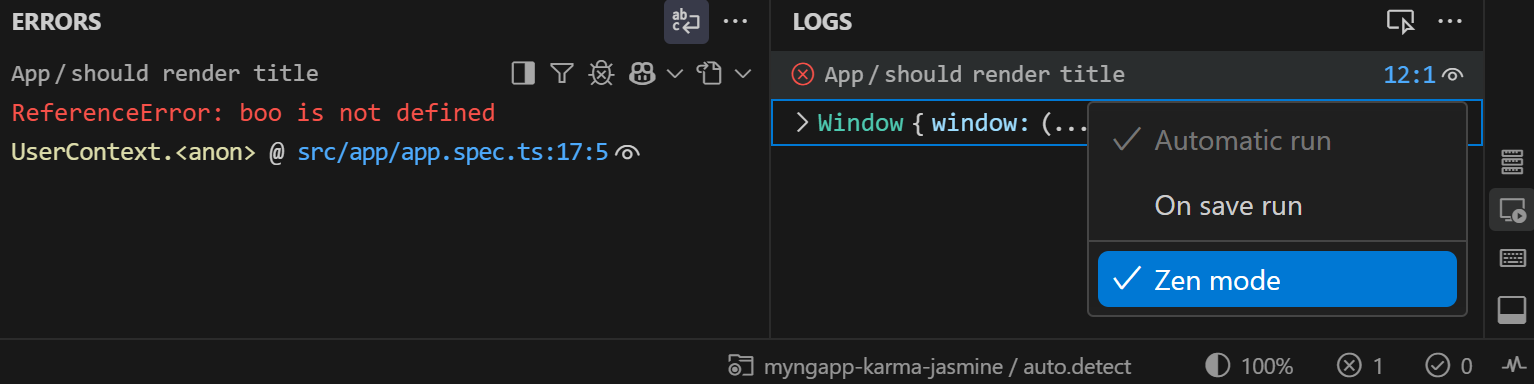
Coverage indicators and inline error messages are valuable, but when you’re making lots of changes or typing quickly, instant visual feedback can become distracting. Zen Mode lets you hide these indicators while Wallaby continues to run tests in the background, so you can review the results when you’re ready.
You can easily toggle Zen Mode on and off using the new Toggle Zen Mode command. Simply open the command palette and search for “Wallaby.js: Toggle Zen Mode” to control when you want to see coverage and error feedback in the editor. Your Zen Mode preference is stored per project and survives Wallaby restarts, so you don’t need to reconfigure it every time you start working.
In addition to the command palette, you can toggle Zen Mode directly from the Overview panel. The panel also provides quick access to configure Run Mode settings (Automatic / On Save), which also persist per project and survive restarts.
With Zen Mode, Run Mode settings, and Pause command, you have more control over your testing workflow, allowing you to choose the right balance between uninterrupted coding flow and immediate test feedback based on your current needs.