Quokka v3
Quokka v3 is now available, with a redesigned output experience that makes Quokka easier to navigate, easier to read, and better suited for exploring runtime values in depth. Whether you are using Quokka for scratch files, experiments, debugging, AI-generated code validation, or learning unfamiliar APIs, v3 makes it easier to move from a line of code, to its output, to the full shape of the value behind it.
This release builds on the foundation of Quokka v2, which introduced clearer logs, errors, value exploration, and the interactive timeline. Our work on Console Ninja v2 also helped refine how runtime values can be explored inside an editor, and Quokka v3 brings that focus back to Quokka’s controlled, immediate runtime feedback loop.
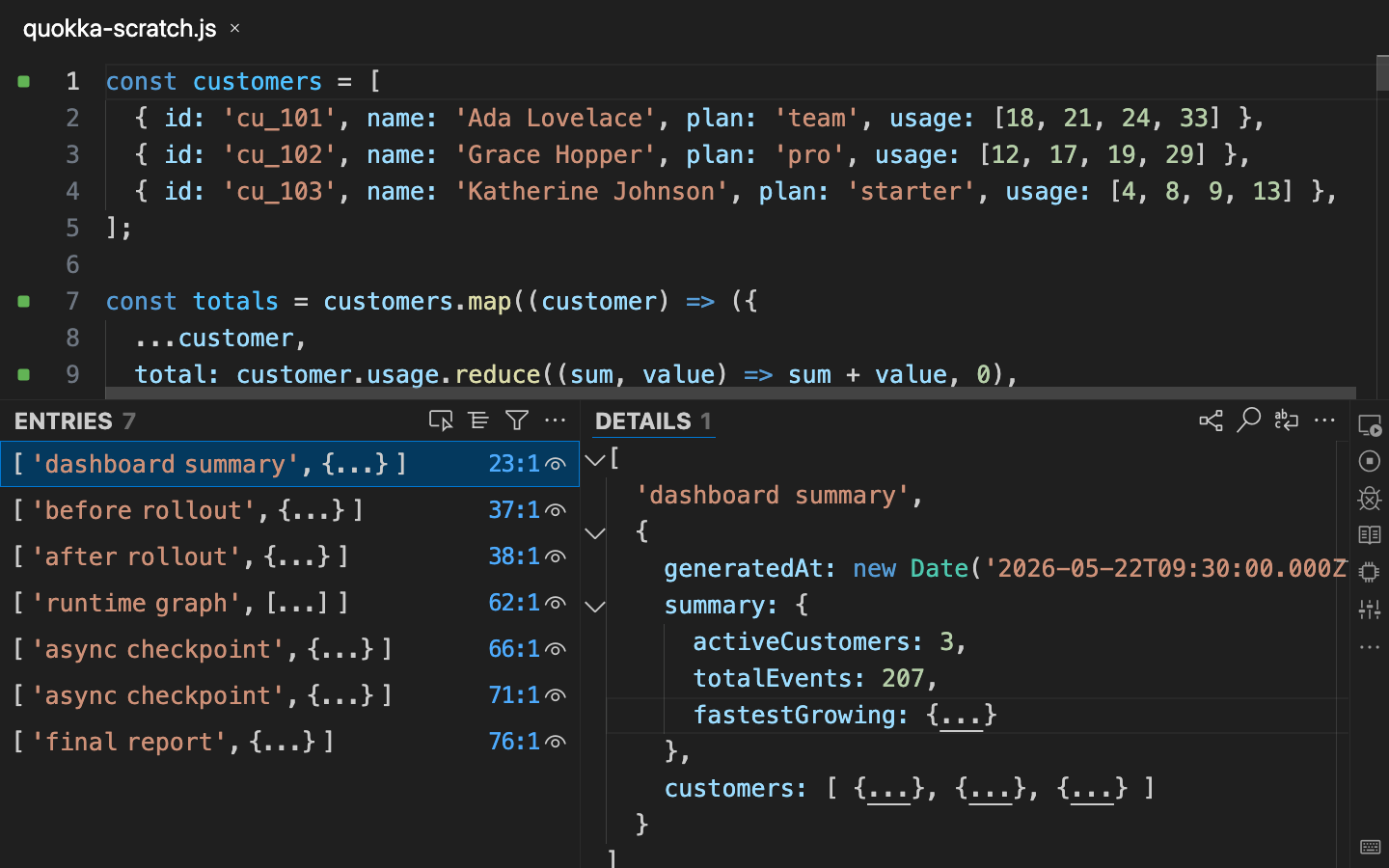 Quokka v3 output and details panels exploring a nested runtime value.
At a glance, Quokka v3 delivers:
- A refreshed UX/UI: a cleaner, more focused design for moving between code, output, and detailed runtime values.
- A more navigable output experience: a list/details workflow for scanning output, selecting entries, and exploring runtime values without losing context.
- Improved feedback while code is still running: output that appears before the current run has fully completed.
- Richer value exploration: improved details rendering, folding, guides, raw string display, and more stable deep value inspection.
- Diffs and diagrams in context: improved side-by-side comparison of output entries, alongside existing visual exploration with interactive graphs.
- More control over runtime feedback: improved session/global settings for Auto Log, Value Peek, Show Value on Selection, and inline value display.
What this means for you
There is nothing special you need to do to start using Quokka v3 once it is available in your editor. Your existing Quokka files, project configuration, shortcuts, and most muscle memory continue to work. The difference is that the output area is now more comfortable for exploring real runtime data: structured enough for larger values and repeated output, but still fast enough for the quick experiments Quokka is known for.
What you will notice day-to-day:
- Better navigation through runtime output: clearer entry selection, source links, and keyboard support make it easier to stay oriented.
- A more capable details pane: large values, nested objects, strings, diffs, and errors are easier to read and act on.
- Clearer output when Quokka is still running: interim logs are visually identified while execution is still in progress.
Improved Output and Details
Quokka v3 moves the main workflow toward a clearer two-panel model. The output list is optimized for scanning and selection; the details panel is optimized for inspection. This separation keeps the main list lightweight while giving complex values enough room to breathe.
The output list is designed to help you stay oriented while the current Quokka file evolves. You can scan entries quickly, jump back to the code that produced them, select output for deeper inspection, and keep keyboard navigation consistent across output, details, diffs, and diagrams.
The details view now supports a richer editor-like experience for runtime values, including semantic highlighting, folding, guides, sticky scroll, line numbers, minimap controls, raw string display, stack trace/code preview actions, and better viewport preservation as output refreshes.
Output while code is still running
Quokka has always been about shortening the distance between code and feedback. In v3, the UI is better prepared for output that arrives before the run has fully completed. When Quokka is still executing, the output panel can show partial results with an explicit Still Running state, then reconcile the final output once execution finishes.
This matters for code that performs asynchronous work, writes output over time, or takes long enough that waiting for a full completion would interrupt your flow. You can start reading and navigating the output as it arrives, while Quokka continues collecting the rest.
Diffs and diagrams
Quokka v3 also restores and integrates richer output tools into the new workflow.
For values that represent comparisons, Quokka can open a side-by-side diff viewer directly from the selected output entry. You can also select two entries and compare them, which is useful when you are experimenting with transformations and want to see exactly what changed.
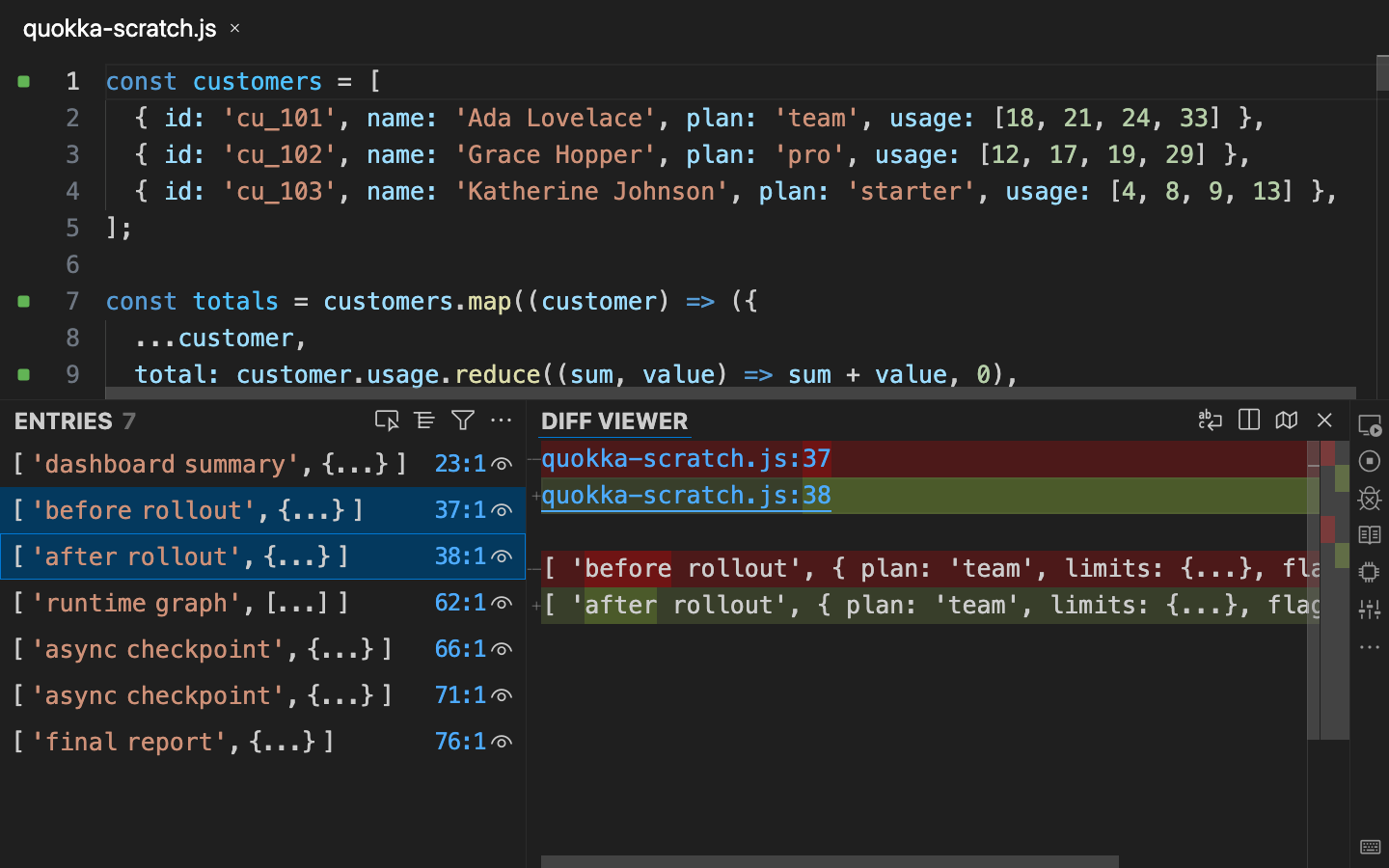 Side-by-side diffing makes changes between related output entries easier to inspect.
For supported structured values, Quokka can open an interactive diagram view, helping you inspect object relationships visually instead of only reading nested text.
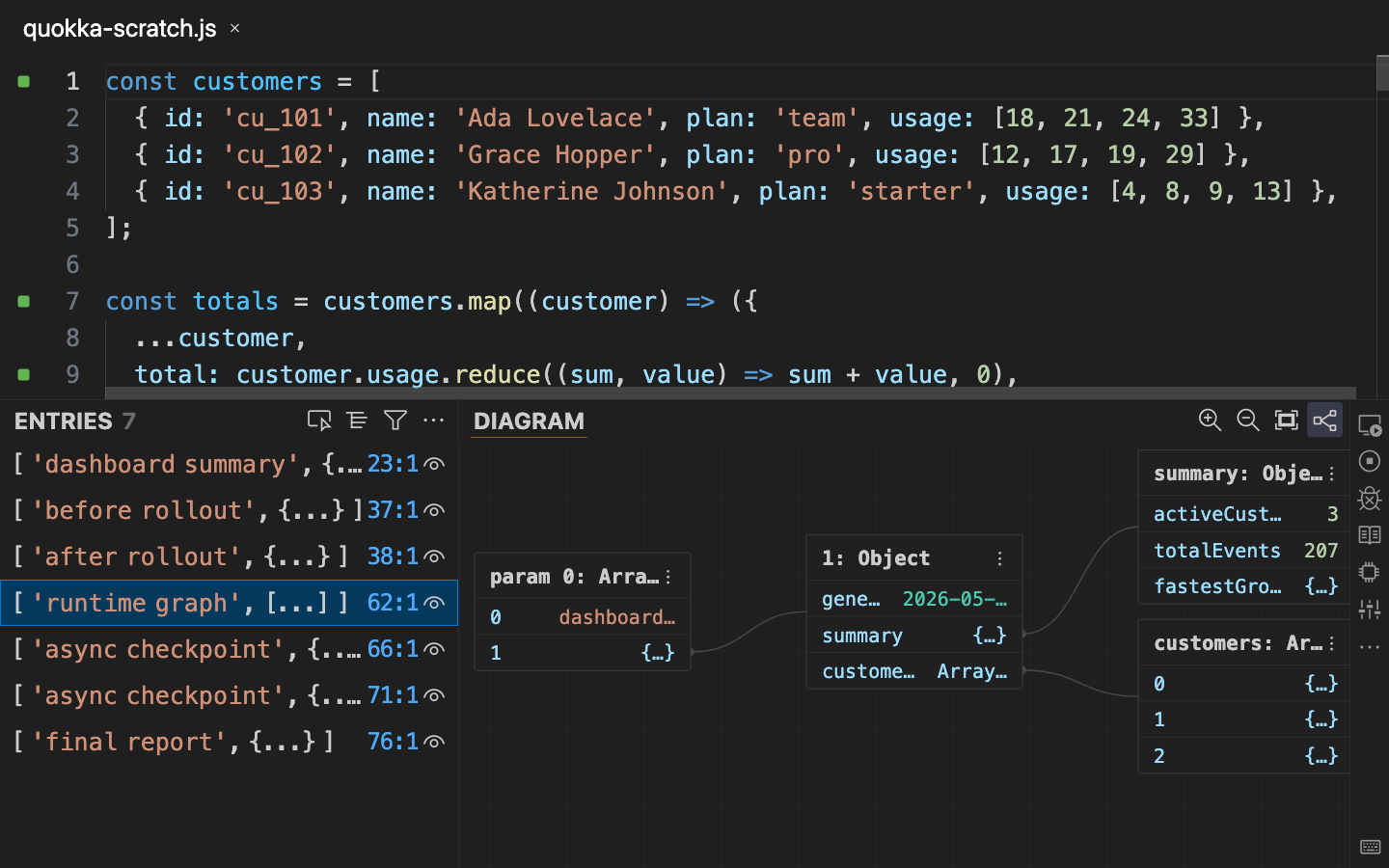 Interactive diagrams help visualize structured runtime values.
Under the hood
Quokka v3 is more than a visual refresh of the output panel. The integration has been updated so logs, errors, serialized values, quick fixes, debugger-related output, diffs, diagrams, and pre-complete output can all participate in the same exploration model.
This matters because Quokka needs to help you understand runtime behavior without losing your place as values keep changing. Details can stay stable when output updates, stale diff/diagram selections can be cleared when their entries disappear, and long-running output can be represented without pretending the run has already fully completed.
Try it out
To experience Quokka v3, install or update Quokka in VS Code or your JetBrains IDE, open a JavaScript or TypeScript file, and start a Quokka session.
Suggestions to try:
- Log a large nested object, then explore it in the details panel.
- Navigate between output entries and their source locations.
- Create two related object/string outputs, select both entries, and open the diff viewer from the Details panel.
- Log a structured object that can be displayed as a diagram.
- Toggle Auto Log, Value Peek, and Show Value on Selection to find the feedback mode that best fits the current task.
Tell us what you think
Quokka v3 gives us a stronger foundation for runtime exploration, and we would love to hear how it feels in your day-to-day workflow.
Tweet us at @wallabyjs or drop a line at hello@wallabyjs.com.
Thanks for reading.